


Key takeaways
- "EHR integration" covers four very different things, from no connection at all to an agent that books by your rules. Ask which one a vendor means.
- The line that matters is write access: an agent that can only read your schedule still leaves your team a list of callbacks.
- Most integrations fall short on scheduling rules: visit types, durations, providers, new-patient slots, preparation, locations.
- Vendors connect through EHR vendor APIs, FHIR, HL7 interfaces or screen automation. The route decides what the agent can do, and how reliably.
- Your EHR stays the source of truth. The agent should work from the same schedule your team uses, with an account limited to what it needs.
- Ask the 12 questions at the end of this article, and ask to see a booking happen live in your own EHR.
A patient calls at 7:40 p.m. to move Thursday's appointment. The AI agent answers, understands the request, confirms it has been noted, and sends an email to the front desk. On Friday morning, someone opens the email, retypes the request into the schedule, and calls the patient back to confirm a new time. Thursday's slot went unused.
The vendor's website said "integrates with your EHR". In a way, it did: it sent an email. That gap between what the word promises and what the agent actually does is why this guide exists. It is written for practice managers, operations leaders and IT teams comparing AI receptionists and voice agents, and it explains what EHR integration means, how it works, and how to test it before you sign.
What does "EHR integration" mean for an AI receptionist?
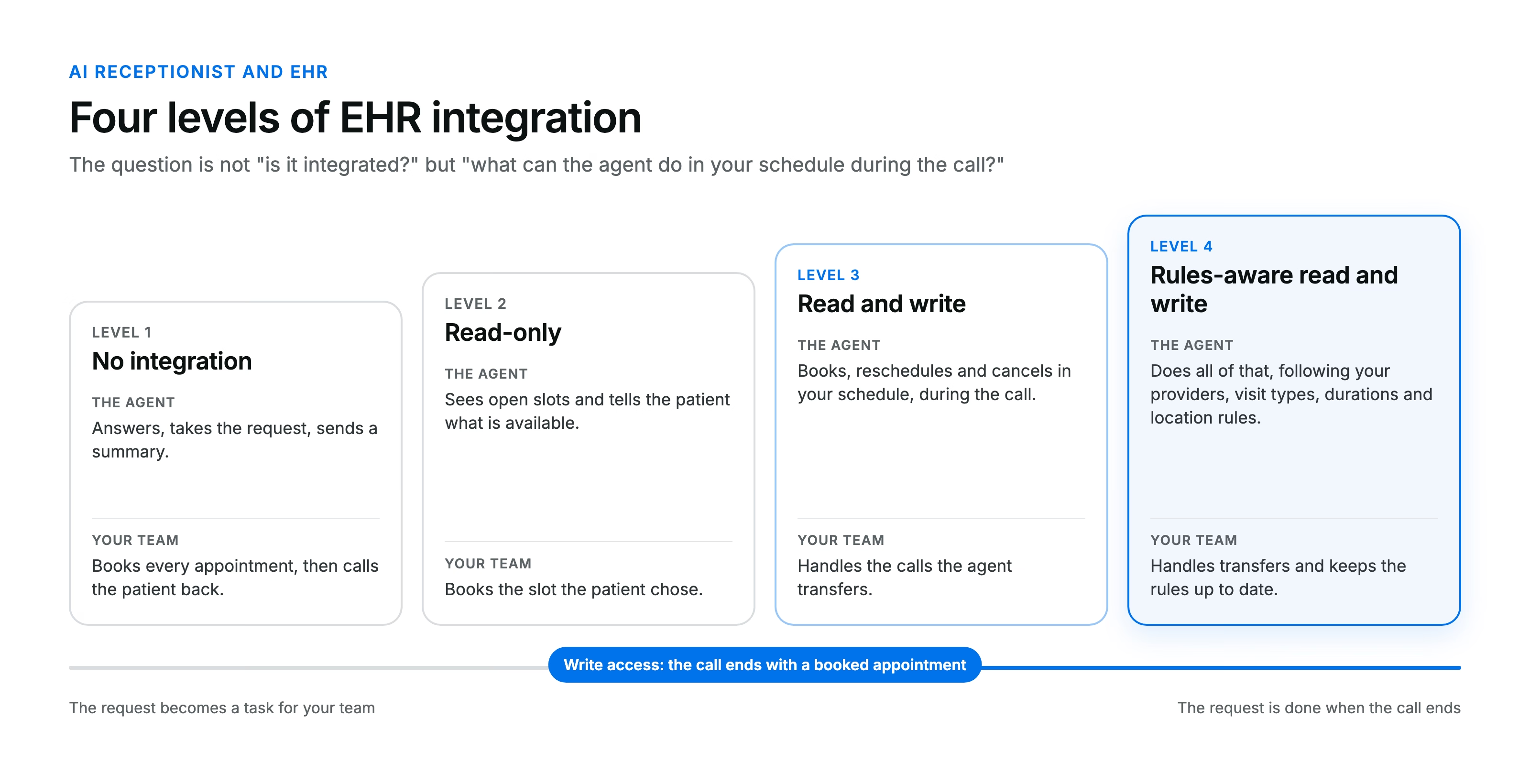
It means the agent reads and writes your schedule, in your EHR or practice management system, during the call. In practice, vendors use the same words for four different levels:
| Level | What the agent does | What your team still does |
|---|---|---|
| 1. No integration | Answers, takes the request, sends a summary or an email | Books, moves or cancels every appointment, then calls the patient back |
| 2. Read-only | Sees open slots and can tell the patient what is available | Books the appointment the patient chose |
| 3. Read and write | Books, reschedules and cancels in your schedule during the call | Handles what the agent transfers |
| 4. Rules-aware read and write | Does all of the above, following your providers, visit types, durations and location rules | Handles what the agent transfers, and maintains the rules |
Levels 1 and 2 are useful for after-hours coverage. They are not what most practices mean when they ask for an integration. If the demo stops at "the agent sends you a summary", you are looking at level 1.
Why write access is the line that matters
A booked appointment needs no one. A message needs someone. Every request an agent cannot finish turns into a callback for your team: someone reads it, opens the schedule, finds a slot, calls the patient, and often leaves a voicemail.
Write access changes three things:
- The request is finished during the call. The patient hangs up with a time, not a promise of a callback.
- Cancellations free the slot right away. When the agent cancels in the schedule, the slot is open for the next caller, instead of waiting for someone to process the message the next morning.
- Your team works from one schedule. No second calendar to reconcile, no bookings that exist only in the vendor's dashboard.
This is also the main difference between an AI voice agent and a traditional answering service, which mostly takes messages. We cover it in detail when we compare an AI receptionist with an answering service.
Scheduling rules: where most integrations fall short
An agent that can write to your schedule but ignores your rules will fill it with the wrong appointments. A medical schedule is not a list of empty slots. It carries rules your front desk applies without thinking:
- which provider sees which visit type, and which ones do not take new patients;
- how long each visit takes, and which slots are reserved for it;
- new versus established patients, and the information a first visit requires;
- preparation: fasting, a referral, imaging to bring, a form to fill in;
- location: which site offers which service, on which days.
Some of these rules live in your EHR as appointment types and templates. Others live in your schedulers' heads. Ask each vendor two questions: does the agent read the rules from your EHR, or do they have to be configured on its side? And who maintains them when a provider changes their schedule? Both approaches can work. What does not work is a rule nobody wrote down.
How AI receptionists connect to an EHR
The connection route decides what the agent can do, and how reliably it does it. Vendors generally use one or more of four routes:
- EHR vendor APIs and marketplaces. Many EHR vendors publish their own APIs and list approved partners in a marketplace. This is usually the most stable route, because the EHR vendor supports it.
- FHIR APIs. FHIR is the HL7 standard for exchanging health data, and it defines scheduling resources such as Appointment, Slot and Schedule. Whether an agent can actually book through FHIR depends on what your EHR vendor exposes and what your organization enables. Reading data is far more common than writing appointments.
- HL7 v2 interfaces. Older but still widespread, often through an interface engine. HL7 v2 scheduling messages can carry bookings between systems, usually with your IT team or your EHR vendor involved.
- Screen automation. Some tools operate the EHR's user interface the way a person would. It can bridge a gap, but it breaks when the screens change. Ask how the vendor monitors it.
The route is not a detail for your IT team alone. It tells you how fast the integration can go live, what happens when your EHR is updated, and whether the agent writes appointments the same way your schedulers do.
What stays in your EHR, and what the agent adds
Your EHR remains the source of truth for the schedule. The agent should book into the same schedule your team uses, on the right provider and location, so that nothing exists only on the vendor's side.
The agent adds what happens around the appointment: the call summary, the transcript, the reason for the call, the transfers. Ask where each of these lives. Some vendors write a note into the EHR; others keep it in their own dashboard. Either way, the agent should only access the data it needs to schedule. Under HIPAA, that means a dedicated integration account with limited permissions, covered by the BAA, as we explain in our HIPAA checklist for AI voice agents.
Multi-location groups: one agent, several schedules
A group needs one agent that applies each location's rules, not one setup per site. In a multi-location group, locations often share one EHR but keep their own providers, hours, visit types and habits. Some groups run several EHRs after acquisitions.
Ask the vendor how it handles both cases: one EHR with location-specific rules, and several EHRs behind one patient phone number. The answer tells you whether the integration scales with the group, or has to be rebuilt for every new site.
12 questions to ask about EHR integration
Send these to every vendor on your shortlist, and ask for a live booking in your own test environment.
| # | Question | A good answer | Red flag |
|---|---|---|---|
| 1 | Is our EHR integrated today, in production, at other customers? | Yes, with the number of live customers or locations | "It's on our roadmap" |
| 2 | Can the agent book, reschedule and cancel, or only read availability? | All three, during the call | "It sends you the request" |
| 3 | Which scheduling rules does the agent apply? | Providers, visit types, durations, new patients, preparation, locations | "It books the first open slot" |
| 4 | Does it read those rules from our EHR, or are they configured on your side? | A clear answer, and who maintains them | No answer |
| 5 | Which connection route do you use with our EHR? | Vendor API, FHIR or HL7, named | "We have our own technology" |
| 6 | What happens when our EHR is updated or a screen changes? | Monitoring and a named owner on the vendor's side | "That never happens" |
| 7 | What does the agent write into our EHR besides the appointment? | A defined list: appointment, note or summary if you want it | Free access to the chart |
| 8 | Which permissions does the integration account have? | A dedicated account, limited to scheduling | Shared administrator credentials |
| 9 | How do you handle several locations, or several EHRs? | One agent, rules per location, one phone number if you want it | One setup per site |
| 10 | How long does the integration take to go live? | A timeline in days or weeks, with your steps listed | No timeline |
| 11 | Who do we call when a booking looks wrong? | Named support, with response times | A generic support inbox |
| 12 | Can we see a booking happen live in our own EHR before we sign? | Yes, in a test or pilot environment | Only a recorded demo |
How Vocca connects to your software
Vocca integrates natively with more than 20 scheduling and patient management systems. The agent answers every patient call and books, moves and cancels appointments straight in your software, during the call. It follows your rules: which provider, which visit type, which preparation, which reserved slots. Appointments land in the schedule your team already uses, so nothing changes in how they work, and there is no migration.
Your connection is usually up and running in days. Patient data stays protected: we operate as a HIPAA business associate and sign a BAA before any patient call, as described on our security page.
Want to know whether your EHR is supported, and what the agent can do in it? Ask us about your software, or book a demo to see how our AI voice agent books appointments directly in your EHR.
FAQ
Does an AI receptionist need to integrate with my EHR?
To finish requests during the call, yes. Without write access to your schedule, the agent can only take messages or show availability, and your team still books every appointment. An agent connected to your EHR or practice management system books, reschedules and cancels while the patient is on the line.
Can an AI receptionist book appointments directly in Epic?
It depends on the vendor's integration and on what your Epic organization enables. Ask whether the vendor books in Epic today, in production, at other customers, and through which interface. A roadmap item or a read-only connection is not the same as booking into your schedule.
What is the difference between a read-only and a write integration?
A read-only integration shows open slots; a write integration books them. With read-only access, the agent can tell the patient what is available, but someone on your team still has to book. With write access, the appointment is in your schedule when the call ends.
How long does an AI receptionist EHR integration take?
From a few days to several weeks, depending on the connection route and your EHR. Integrations through an existing vendor API or marketplace are usually the fastest. Interfaces that need your EHR vendor or IT team take longer. Ask each vendor for a timeline with your own steps listed.
Is an EHR integration HIPAA compliant?
It can be, if the vendor signs a BAA and limits the integration to what it needs. The agent should use a dedicated account, restricted to scheduling data, with access logged. HIPAA compliance comes from the BAA and these safeguards, not from the integration itself.